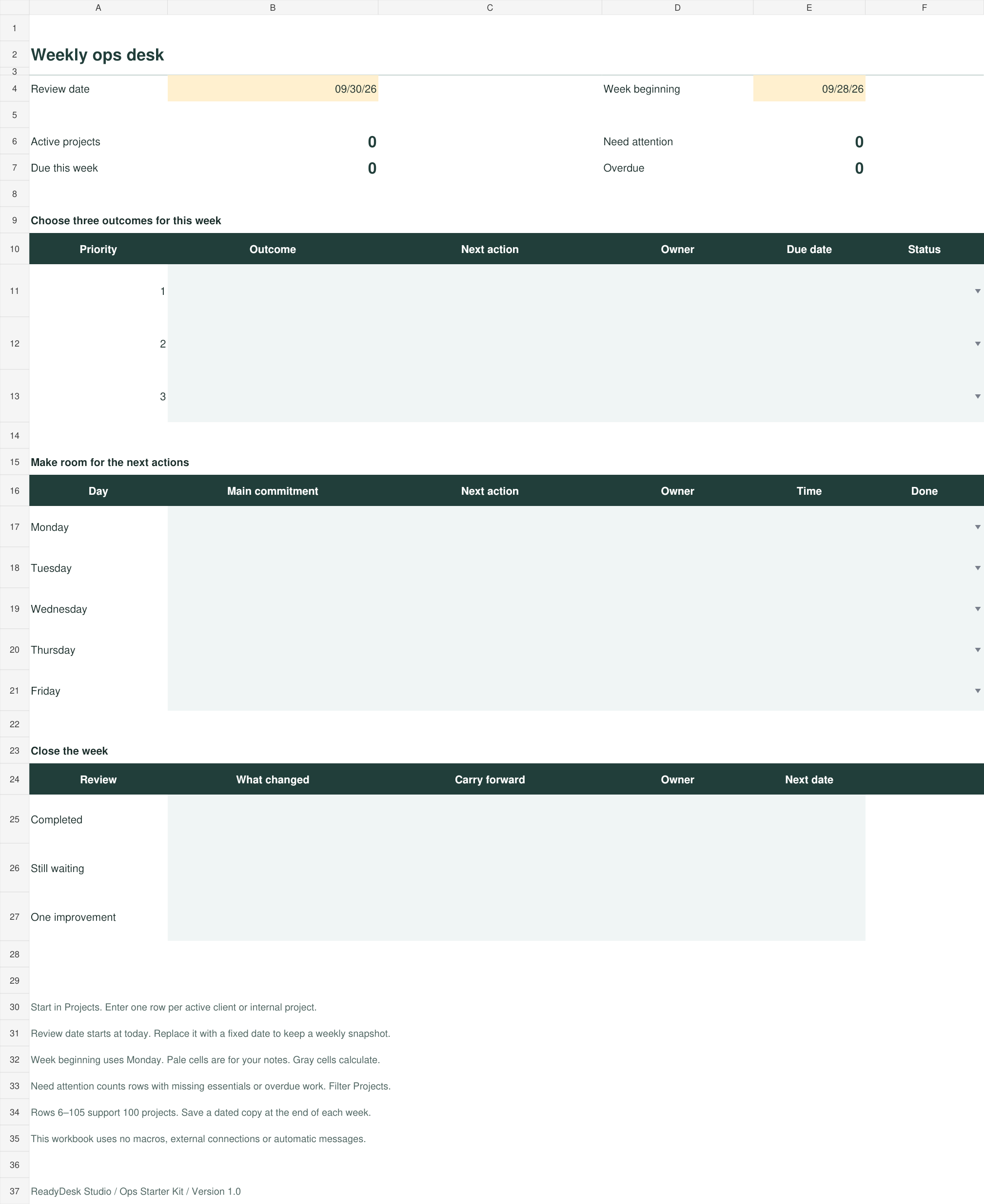
Weekly ops dashboard
Choose three outcomes, plan daily commitments and close the week. See active projects, due dates and work that needs attention in one view.

THE READYDESK OPS STARTER KIT
A practical set of editable templates for the everyday work behind your business. Keep projects moving, turn meetings into actions and write down the processes you repeat.
The full kit is not available to buy yet. Try the free weekly reset while we finish opening the shop.
ONE KIT. FIVE USEFUL STARTING POINTS.
Choose three outcomes, plan daily commitments and close the week. See active projects, due dates and work that needs attention in one view.
Give each project an owner, status, next action and due date. Built-in prompts surface missing details and overdue work across 100 project rows.
Write the trigger, steps and completion checks for a recurring task. Start with the editable template and a filled example.
Keep decisions, open questions and assigned next steps together. An editable template and filled example show the level of detail to use.
A small action for each day helps you put the files to work, test them on real projects and establish a weekly review.
FILES YOU CAN MAKE YOUR OWN
The kit contains an Excel workbook, editable Word documents and PDF editions of the guides and templates. Open the editable files in Microsoft Office, or import them into Google Sheets and Google Docs.
Simple to adapt
Change prompts, names and processes to match the way you work.
Useful for a small team
Assign owners, share your working copies and keep a clear next step.
Set your own pace
Follow the 30-day guide or begin with the weekly dashboard and add the other pieces when needed.
BEFORE YOU START
Solo business owners and small teams who want a consistent place for priorities, project follow-up, process instructions and meeting actions.
It is a set of files and written guides. You fill in and maintain your own copies. It does not send messages, connect to your customer systems or perform tasks automatically.
You can read the PDFs and edit supported files in the Office or Google apps. A computer gives you more room for the workbook and the initial setup. The free weekly reset is designed to work in your mobile browser.
The free weekly reset is available in your browser. It is a smaller planning sample with print and text-download options. The full kit adds the project tracker, process and meeting templates, and setup guide.